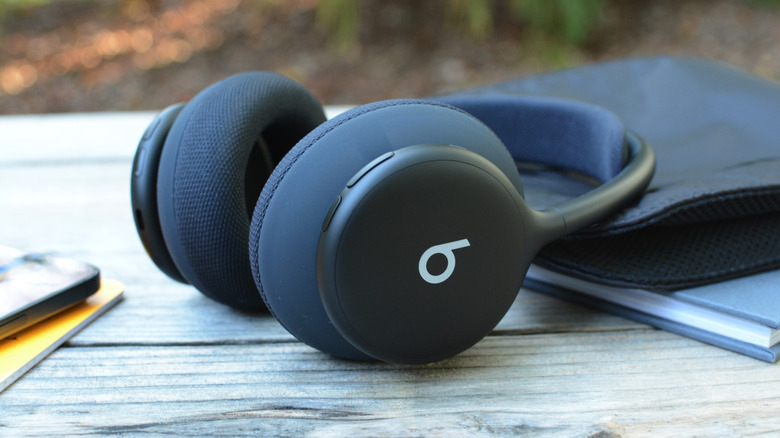
The company’s latest over-ear model goes all in on interchangeable cushions.
Billy Steele for Engadget
RATING : 8.2 / 10
- An all-new design
- Tons of room for customization
- Impressive, bass-forward tuning
- Tight fit on larger heads
- No wired use
- Overly simplistic button design
- No wear detection
We may receive a commission on purchases made from links.
Despite their popularity among athletes and gym goers, Beats headphones have never been a great option for warm-ups or workouts. Models like the Beats Solo 4 and Beats Studio Pro lack the necessary ingress protection to reliably withstand sweat. What's more, you couldn't change out the ear pads on either of those sets. With its latest over-ear option, the Apple-owned company now offers one set of headphones you can use all day and take to the gym.
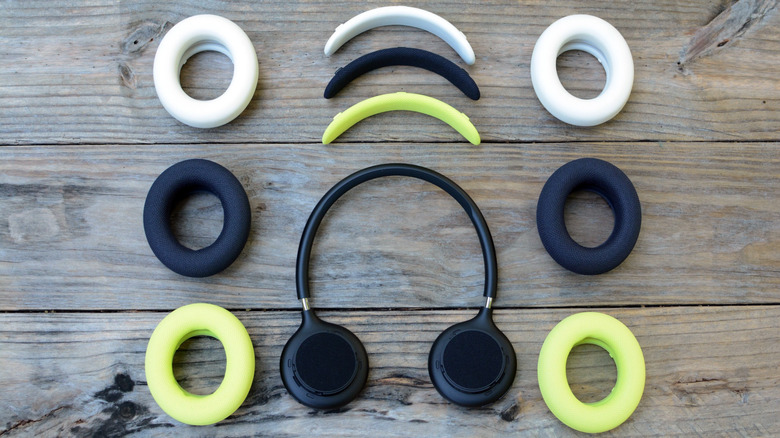
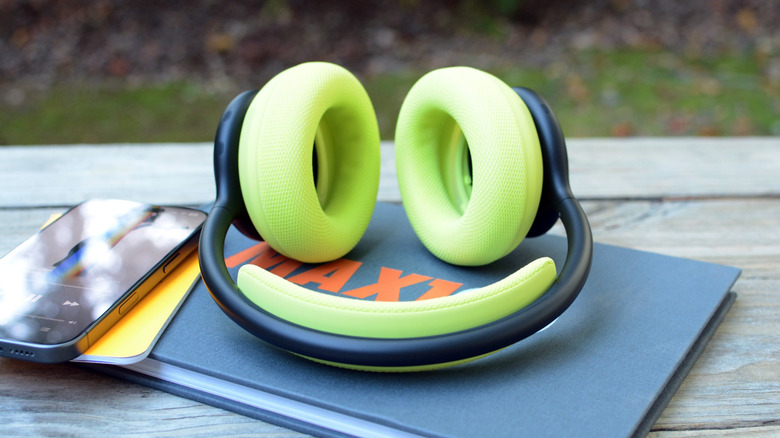
The main attraction of the new Beats 360 ($350) is customization. You can swap out the ear and headband cushions to make your own color combination. Those parts also come in two different materials: one for the gym, one for everywhere else. In fact, Beats says there are over 250 possible color configurations — if you're willing to mix the ear cup and headband hues. To accommodate this, Beats opted for an all-new design that definitely takes some cues from Apple.
Design
Billy Steele for Engadget
While several previous Beats models have a similar overall look, the appearance of the Beats 360 is a huge departure for the company. Beats says its research showed an "overwhelming demand for customization," especially when it comes to interchangeable cushions. On these new headphones, the ear pads — really the entire ear cups — are removable with a twist. Each set of the Beats 360 comes with ear and head cushions that match the rest of the headphones, in five different colors.
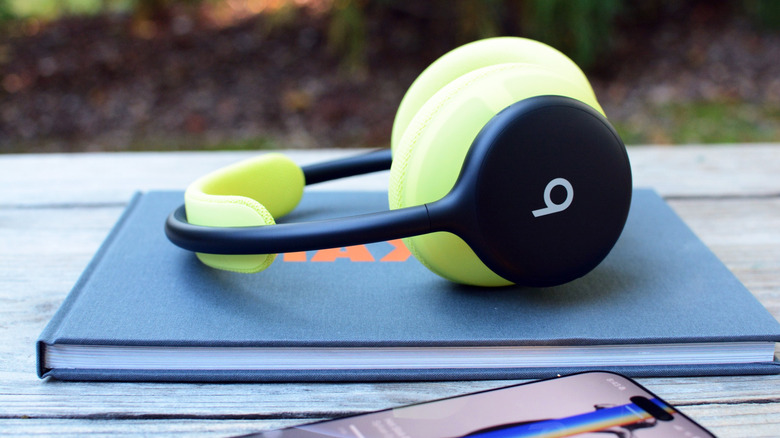
There are also two types of cushions. The Beats 360 ships with Performance Knit fabric, a diamond-knit woven material designed to be soft, flexible and durable. This is the best option for the gym. Then there are the UltraPlush cushions: the same "soft, pillowy" feel from the Studio Pro model. This option is meant to be used for longer listening sessions and more general, everyday wear. Performance Knit ear and headband pads come in the same five colors as the headphones as additional purchases, with the addition of a sixth bright yellow "Volt" hue. The UltraPlush is only available separately from the Beats 360, and comes in just black or white (Cloud). Cushion Kits, as the company calls them, will cost you $50.
Whichever combination of cushions you pick, they affix to a new slimmed-down headband that's a bit reminiscent of the AirPods Max. Beats opted for a true wireless approach to the 360, so there's no cable running between the two sides; each one operates on its own with a separate battery, antenna and processing tech. The revamped headphones required a new acoustic architecture, which includes a custom-designed transducer with its own venting structure. The whole setup is surprisingly lightweight, but similar to previous Beats headphones, the clamping force becomes uncomfortable if you have a larger head like I do.
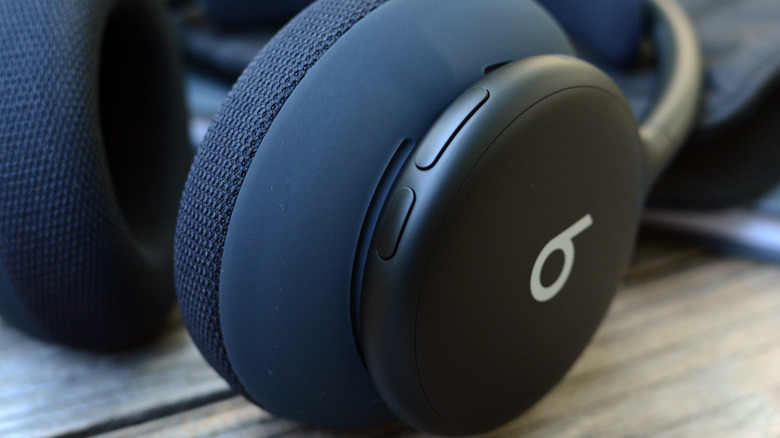
The Beats 360 has physical buttons for onboard controls, which are still a welcome sight in 2026. The listening mode and power buttons are on the left side while the volume rocker and play/pause controls are on the right. That play/pause button also handles skipping tracks and controlling calls, with double and triple clicks available for more tasks. The controls are as reliable as you'd expect with actual buttons instead of touch panels, but it can be difficult to quickly locate what you need with just your thumbs.
Three of the four buttons are slightly raised, but all to the same degree, so they're hard to tell apart by touch alone. The volume rocker is longer than the play/pause button, so there's that variation, but you'll need to memorize the locations before you can get at what you need quickly. The power button isn't raised, so good luck feeling around for it while you still have the headphones on. After a week of testing, I still can't reliably find it that way.
Software and features
Billy Steele for Engadget
Like AirPods, all of the software features for the Beats 360 are baked into iOS. If you have an Android device, a lot of what you'll need is now native to that operating system as well. However, you will still need the Beats app for customization, widgets, Locate My Beats (which is in addition to Android's Find Hub) and firmware updates.
On iOS, you get both one-touch and iCloud pairing, in addition to automatic switching between Apple devices and Audio Sharing with compatible AirPods or Beats models (when connected to an iPhone or iPad). There's also hands-free access to Siri and Find My compatibility when you need it. You can reconfigure the listening mode button to cycle between a combination of Noise Cancellation (ANC), Transparency or Off, and of course, automatically download firmware updates when they arrive.
For Android users, both fast pairing and ecosystem pairing — automatically connecting to devices on your Google account — are native, OS-level features. You can also hold the play/pause button to summon your device's voice assistant and audio will automatically switch between supported devices. The Android Find Hub will display your Beats 360 on a map if you lose it. None of this requires the standalone Beats app, but you'll need it for the features I mentioned at the beginning of this section. So, unfortunately, you need that additional download to cover all of your bases.
The Beats 360 does lack one feature that is common in other headphones: automatic pausing. There's no wear detection here; the onboard gyroscope and accelerometer are used to track head movement for Spatial Audio. This is a pretty big bummer in a set of $350 headphones, but because almost the entire ear cup is removable, I'm not sure where Beats would've even put another sensor. Other big Apple features like Live Translation, Conversation Awareness and Personalized Volume aren't here either. In fact, the Beats 360 doesn't even support wired listening, let alone lossless audio over USB-C.
Sound quality, ANC and calls
Billy Steele for Engadget
Beats explains that the goal of its new dual-magnet transducer design was to "deliver powerful bass, wide dynamic range, precise detail and low distortion" across the entire frequency range. In the process, the company was able to coax an additional 12dB of power out of the driver compared to the components inside the Studio Pro. When it comes to those aspirations for sound quality, I'd say Beats mostly succeeded.
There's definitely powerful bass here; this wouldn't be a Beats product if there wasn't a ton of low-end tone. It's almost too much for me, but the company continues its more recent propensity for some restraint here. Subtle details, like the texture of distorted guitars and synths on Sylvan Esso's "Hot Slob," add layers to tracks other headphones might compress away. I didn't notice any distortion at full volume (which I don't recommend for extended periods) and the overall dynamic range was wide open. Hayley Williams' "Ice In My OJ" is a great example of that latter aspect.
When you turn both ANC and Transparency off, the Beats 360 has an Adaptive EQ function to automatically analyze and adjust the tuning as needed. The feature responds to changes in fit to ensure consistent overall performance. It's not something you turn on, it's just there by default in the "Off" listening mode. Like previous Beats headphones and earbuds, the 360 is also equipped with Apple's Personalized Spatial Audio. As a refresher, this feature uses your iPhone camera to detect and account for the shape of your ears in order to adjust spatial listening to you. Dynamic head tracking is part of this equation as well, and you can opt for "fixed" spatial listening if you prefer. I kept Spatial Audio off on the Beats 360 most of the time as I felt like the bass was overpowering with it enabled.
Beats says the 360 offers 1.75x more "total noise cancellation" than the Studio Pro, which makes this the company's most powerful ANC setup ever. Using the combo of a nine-microphone array and a higher-powered processor, the noise-canceling system is able to monitor both environment and fit, adapting accordingly without you even knowing. (Speaking of processors, the Beats 360 runs on the company's own fourth-gen platform rather than one of Apple's audio chips.) These headphones do a good job with constant noise sources like white noise machines, but like most of the competition, they don't offer much relief from human voices. You'll have to rely on pure volume to drown them out.
To improve call quality, Beats says it employs a new SoC platform, AI-trained algorithms, specifically tailored audio processors and almost twice the processing power as its previous voice setup. According to the company, all of that comes together for "more sophisticated speech enhancement and environmental noise suppression."
In practice, calls on the Beats 360 benefit from the headphones' natural-sounding Transparency mode, which allows you to hear your voice so you don't feel like you have to shout. On the other end, you'll sound clear enough to your caller, and background noise will be nearly silenced, but all of the audio processing impacts overall quality. It's not pristine, but is perfectly usable in most cases; your colleagues won't question if you're dialing in from under water.
Battery life
Billy Steele for Engadget
Beats says you can expect up to 32 hours of battery life on the Beats 360 with ANC or Adaptive EQ enabled. That's eight hours longer than the Beats Studio Pro (ANC on). After 24 hours of testing, my review unit still has 47 percent left, so the headphones are on track to blow past the stated longevity. This isn't unusual for Beats headphones. When I reviewed the Studio Pro, for example, that model still had over 20 percent left when I hit the company's advertised limit.
The competition
There are plenty of headphones with removable ear pads these days. Some models also let you swap out the headband or at least the cushion there. So, Beats doesn't hold all of those cards. However, the company does offer the additional perk of IPX4 sweat and water resistance, which is not on many over-ear headphone spec sheets. An appropriate IP rating for workouts is much more common on earbuds, and there are many more fitness-focused in-ear options.
For just a straight comparison on headphone performance, the second-gen Bose QuietComfort Headphones are a solid alternative. At $359, they're only slightly more expensive and you'll get better ANC performance than the Beats 360. The QC Headphones also have more intuitive controls and Bose's Immersive Audio. And even though it isn't nearly as stylish as the Beats 360, you can still swap out the ear cushions when the time comes. There's no IP rating though, so take these to the gym at your own risk.
Wrap-up
The Beats 360 won't wow you with new features, but that's not really the point of this model. The new design succeeds in offering a degree of customization that's a rare find on headphones. Pair that with energetic, bass-forward sound, and you've got a great recipe for workout-friendly over-ear headphones. And when you return home or head to the office, the UltraPlush cushions offer a more relaxed feel for productivity. Despite the omissions on the spec sheet, Beats built a solid set of headphones under $400, which is certainly an added bonus in today's financial climate.